

of October 2026
Accounts of October 2026


- Control your own cashflow
- Auto savings accounts earn up to 3.21% APY
- Bank without overdraft fees or minimums
- Open up to 20 checking accounts

- Best overall for small businesses
- Earn a $500 bonus on new accounts
- Use code CAP500. T&Cs apply
- Free ACH & incoming wires, no overdraft fees

- Banking platform for small businesses
- Integrated bookkeeping & tax features
- Send invoices & pay contractors for free*
- Create customized sub-accounts

- All-in-one small business banking
- Auto savings accounts earn up to 4.00% APY
- Bank without hidden fees or minimums
- User-friendly and accessible platform

- Enjoy unlimited transactions
- Earn up to 3.10% APY
- Get 1% cash back on purchases
- No monthly fees

- Simplify your business management
- Earn up to $1,200 bonus
- Use code Q4AFL26*
- Member FDIC

- Start-up banking suite
- Business banking without monthly fees
- Deposit $10K in 90 days and earn $200
- Get FDIC insurance up to $5M*
- Control your own cashflow
- Auto savings accounts earn up to 3.21% APY
- Bank without overdraft fees or minimums
- Open up to 20 checking accounts


Choosing an online bank provides a modern, flexible, and convenient way to manage your finances, offering round-the-clock access to accounts, competitive rates, and innovative tools—all from the comfort of any device. Explore the unique advantages of online banking and see how it aligns with your financial habits and lifestyle.
| Online Banking | Traditional Banking | |
|---|---|---|
Accessibility | ||
Convenience | ||
Security | ||
Service Speed | ||
Cost Efficiency | ||
Personal Interaction | ||
Loan/Account Setup | ||
Customization | ||
Cash Handling | ||
Competitive Rates |
What Is Online Banking?
Online banking enables you to manage your account and perform banking functions from any device via the internet instead of having to go into a branch or make a phone call. This includes making transfers, paying bills, viewing balances, and checking transactions. In addition, you get 24/7 access to your accounts and the ability to manage your accounts on the go.
While several institutions offer online banking via an app or online platform, there are specific online-only banks that often have superior rates and cheaper fees than traditional banks due to lower overhead costs.
What Is a Business Checking Account?
A business checking account is a deposit account that lets you deposit and withdraw money, write checks, make transfers, pay bills, and more. It functions much like a traditional checking account except for your business finances instead of personal.
You open it in your company name, and it may have additional features that a personal checking account won’t, such as tax planning or integrated credit card processing.
Do I Need to Own an LLC to Open up a Business Checking Account?
While you can get a business bank account for an LLC (limited liability company), you don’t have to be an LLC to open one. Sole proprietors, partnerships, and other types of businesses can also open a business checking account.
Do I Need a Business Checking Account if I Already Have a Personal Checking Account?
In short, it depends. If your business is a sole proprietorship or a partnership, you aren’t legally required to have a business checking account. You’re free to use a personal checking account, but should still make an effort to separate personal and business finances.
However, if you operate as a corporation, you’ll need to have a dedicated business checking account for liability purposes and show a clear separation between what’s yours versus your business’s.
Also, some providers/banks may not allow you to use personal accounts for business purposes. So read through the terms and conditions of your personal account before using it for your company.
What are the Benefits of Having a Business Checking Account?
Whether you’re legally required to have one or not, there are several benefits of having a business checking account. One of the biggest benefits is keeping business finances separate from your personal finances.
Trying to track what’s for business versus what’s a personal transaction can be a headache if you use a personal account for business purposes. Having a dedicated account for your company makes it easy to keep track of things like your income and expenses, which is especially beneficial come tax time and saves a lot of work.
Another benefit is that it can serve as a foundation to build your business credit. Some lenders require that you have a business bank account to secure a loan or take out a business credit card. Good business credit can help you qualify for better lending and terms in the future as your company scales.
The best business bank accounts also have extra features that are helpful to all companies. This includes things like the ability to scan receipts, tools to categorize spending, and integration with accounting software.
Using a business account rather than your personal account looks more professional to suppliers and clients, too. It helps to show that your company isn’t a hobby but a legitimate operation that you’re taking seriously.
Who Can Open a Business Checking Account?
Anyone who owns a business that is legally registered in the USA can generally open a business account. However, unless you’re a sole proprietor, you’ll need an Employer Identification Number (EIN). Sole proprietors can get an EIN but can opt to use their social security number instead.
Our Top 3 Business Checking Accounts:
In a Nutshell
Relay is a business banking platform great for enterprises of all shapes and sizes. The company offers up to 20 checking accounts and 50 physical or virtual debit cards for your business. It has no monthly or overdraft fees or minimum balance requirements, and it integrates with many accounting and payroll tools your business may already use. While there are no physical branches, Relay lets you withdraw and deposit for free at over 55,000 AllPoint ATMs throughout the U.S. The company also has great reviews and an intuitive mobile app.
Features
- Control your own cashflow
- Auto savings accounts earn up to 3.21% APY
- Bank without overdraft fees or minimums
- Open up to 20 checking accounts
Most Popular Products

Pros
- No account fees or minimum balances
- Integrates seamlessly with bookkeeping, payroll, and other tools
- Open up to 20 checking accounts for better money organization
- Deposit and withdraw using Allpoint ATMs for free
Cons
- No weekend phone support
- Funds from check deposits not available for 6-7 days
- No physical branch locations
In a Nutshell
Bluevine is a financial services platform, not a bank, although it provides business checking accounts and other services through Coastal Community Bank. It's an ideal solution for digital-first businesses seeking access to paper checks without the need for numerous cash deposits. With additional features tailored for accountants, it's particularly well suited for small accounting and bookkeeping firms.
Features
- Best overall for small businesses
- Earn a $500 bonus on new accounts
- Use code CAP500. T&Cs apply
- Free ACH & incoming wires, no overdraft fees
Most Popular Products

Pros
- No fees or required minimum balances
- Up to 1.75% interest rates on balances up to and including $250K
- FDIC-insured accounts up to $3 million
- Apply for a business line of credit and business insurance on the same platform
Cons
- Cash deposits are limited to $2,000/day at green dot locations
- Cash deposits have a $4.95 fee per deposit
- No physical bank locations
- No weekend customer support is available
In a Nutshell
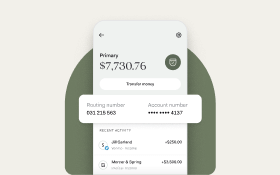
Found is an all-in-one business banking tool to help manage your company or small business finances. It has no hidden fees or minimum balances. Found features a host of easy-to-use features, like estimating and auto-saving for taxes, bookkeeping, and invoices, and it can connect with other banking/business software. Signing up is quick and easy compared to many other business bank accounts, and the company takes security very seriously.
Features
- Banking platform for small businesses
- Integrated bookkeeping & tax features
- Send invoices & pay contractors for free*
- Create customized sub-accounts
Most Popular Products
Pros
- Easy and quick signup process with no credit check required
- Automatically tracks expenses
- No hidden fees or minimum balance
- Several security procedures and practices to protect data
Cons
- Costs $2 to deposit cash (no fee for withdrawals)
- Low deposit and withdrawal limits
- Doesn’t support sending checks
What Do I Need to Open a Business Checking Account?
To open a business checking account, you’ll have to complete an application. It will request personal information like:
- A piece (or two) of government-issued ID
- Your date of birth
- Personal phone number and email
- Social security number
- Home address
The application will also ask for business-related information, such as:
- EIN, if you have one
- The industry you’re in and what the business does
- Business name
- Company address/phone number
- When the business was formed
- The type of business structure (corporation, LLC, partnership, etc…)
- Certain business-related documents (like a business license, operating agreement, articles of incorporation if applicable, etc…)
The exact requirements may vary from bank to bank, as well. Similarly, while you can open a business bank account online in some cases, certain banks may require you to go into a branch.
Business Checking Account Features to Look For:
You’ll want to seek some key features when choosing the best small business bank account for your needs.
First, try to find free business checking accounts. Fees can eat away at your profits and add up over time if you’re not careful. They might include monthly fees, transaction fees, overdraft fees, deposit fees, ATM fees, and others.
Be aware that some banks may have certain requirements (like maintaining a certain monthly balance) to avoid fees. If finding a no-fee account is challenging, do your homework and choose one with the lowest fees possible.
You can also look for checking account features that aid in managing your business. Examples of this include the ability to:
- Create and send invoices
- Pay bills online
- Integrate with tax and account software you already use
- Easily transfer funds
Choose a business checking account that has a user-friendly app that lets you look at your transactions, view balances, and transfer funds with ease. Even if you mainly do your online banking on a computer or in-branch, being able to quickly check in on your business on the go in an app is valuable.
Ensure that both the app and online platform are highly rated, too. If other business owners have had poor experiences with them, there’s a good chance you’ll experience the same.
Disclaimer
U.S. Bank:
*Promo code Q4AFL26 MUST be used when opening a U.S. Bank Business Essentials® or Platinum Business Checking account. Limit of one bonus per business. A $25 minimum deposit is required to open one of the referenced accounts.
To earn a business checking bonus, open a qualifying U.S. Bank business checking account between 9/28/2026 and 1/13/2027. Make the required deposit(s) in new money within 30 days of account opening, maintain the same required daily balance through the 60th day, and complete 6 qualifying transactions based on posted date within 60 days of account opening.
- Business Essentials: $400 bonus with $5,000 deposits and daily balance
- Platinum Business Checking: $1,200 bonus with $25,000 deposits and daily balance
Qualifying transactions include debit card purchases, ACH and wire credits or debits, Zelle credits or debits, U.S. Bank mobile check deposit, electronic or paper check debits, U.S. Bank bill pay for business, and payment received via U.S. Bank Payment Solutions. Other transactions, such as person-to-person payments, credit card transfers (including bill payments to U.S. Bank credit cards), or transfers between U.S. Bank accounts, are not eligible.
New money is defined as funds from outside U.S. Bank and cannot be transferred from another U.S. Bank product or a U.S. Bank Affiliate. For accounts opened on non-business days, weekends or federal holidays, the open date is considered the next business day. Account fees may reduce the required daily balance during the qualifying period.
Bonus will be deposited into your new eligible U.S. Bank business checking account within 30 days after the month-end in which all offer requirements are met, provided the account remains open, has a positive balance, and remains the same checking product type.
Offer may not be combined with other business checking bonus offers. Existing businesses with a business checking account or had one closed within the past 12 months, do not qualify.
All regular account-opening procedures apply. For full checking account pricing, terms and policies, refer to your Business Pricing Information, Business Essentials Pricing Information, and YDAA disclosure. These documents are available at any U.S. Bank branch or by calling 800.872.2657.
Bonus will be reported as interest earned on IRS Form 1099-INT and recipient is responsible for any applicable taxes. Current U.S. Bank employees are not eligible. U.S. Bank reserves the right to withdraw this offer at any time without notice.
Additional deposit products and promotions may be available. Talk with a banker for details.
Found:
Found is a financial technology company, not a bank. Banking services are provided by Lead Bank, Member FDIC.
*Payments can be sent for free between Found users or by bank transfer via text, email, or direct deposit. Domestic wire transfers are available for a fee. Read Found Fee Schedule.
Mercury:
* Through Mercury's partner bank's and their use of sweep networks. Mercury is a fintech company, not an FDIC-insured bank. Banking services provided through Choice Financial Group and Column N.A., Members FDIC. FDIC deposit insurance covers the failure of an insured bank. Deposits in checking and savings accounts are FDIC-insured through Choice Financial Group and Column N.A. and their Sweep Program Network Banks. Certain conditions must be satisfied for pass-through FDIC insurance to apply. Learn more here.
Wells Fargo Business Checking:
¹ How to qualify for this offer
To be Eligible: Offer is for new business checking customers only. Limit one business checking bonus per business and one per business owner within a 24-month period. Only one business checking bonus may be paid per business, regardless of the number of owners. A business owner is not eligible to receive more than one business checking bonus during this period, including across multiple businesses. Only a Wells Fargo Initiate Business Checking®, Navigate Business Checking®, or Optimize Business Checking® account is eligible for this offer. You are not eligible for this offer if you currently own a Wells Fargo business checking account, closed one within the past 90 days, or are an employee of Wells Fargo. Non-resident aliens or foreign entities signing Form W-8 are not eligible for the offer. If Wells Fargo suspects misuse or abuse of this promotional offer, it may close the account and may rescind or not pay the bonus.
To receive the cash bonus: You must use your bonus offer code by November 10, 2026 when opening a new eligible Wells Fargo business checking account, which is subject to approval, and complete the following requirements.
- Deposit: Bring $2,500 or more in deposits to your new eligible business checking account by day 30 from account opening. The account balance as of day 30 will determine the maximum cash bonus you may earn based on the below table. You may not deposit additional funds after the first 30 days to qualify for a higher cash bonus.
Deposit amount | Cash bonus |
$2,500 - $9,999 | $400 |
$10,000 - $24,999 | $550 |
$25,000 or more | $825 |
- Maintain the account balance in your account through day 60 from account opening (the “qualification period”). If your balance drops to a lower tier amount in the above table during this period, your cash bonus will be reduced or your account will no longer qualify for this bonus if it falls below the lowest tier.
- Qualifying Transactions: Complete 5 or more qualifying posted transactions within the 60-day qualification period. A qualifying transaction is a completed transaction that has been fully processed and posted to your account. Transactions generally post within 1 to 3 days, however, timing of when a transaction will post can vary from the same day to weeks later.
The following count as qualifying transactions:
- Posted transactions from purchases using your Wells Fargo business debit card
∙ Eligible debit card purchases are limited to: one-time or recurring payments and purchases made using PIN, signature, online, by phone, or Digital wallet².
∙ Wells Fargo can’t post your debit card transaction until the merchant submits the transaction to us for payment. Transactions received from a merchant after the cutoff time or on a non-business day are posted on the next business day.
- Posted payments you initiated through Wells Fargo Bill Pay
- Posted deposits using the Wells Fargo Mobile® app, ATM, Branch Teller, ACH, or Wire transfers
The following don’t count as qualifying transactions:
- Sending or receiving money with Zelle®
- Withdrawals from ATM, Branch Teller, ACH, or Wire transfers
- Transfers or payments to or from other Wells Fargo accounts
- Transfers made through the RTP® network (real-time payments) or FedNowSM Service
- Debit Card Original Credit Transactions (OCT): a credit to your card when your debit card number is used to receive funds
After the 60-day qualification period, if you have met all offer requirements, we will deposit the bonus into your new account within 30 calendar days. To receive this bonus, the enrolled account must not be closed or restricted at the time of payout. We may close accounts with a zero balance without prior notice. You are responsible for any taxes due on the bonus. We will report the bonus as income to tax authorities, as required by applicable law. If you are subject to backup withholding at the time of payment, we will withhold the required amount and remit to the tax authorities.
Other Terms: This offer may be discontinued or changed at any time without notice and cannot be combined with any other business checking offer. Offer cannot be reproduced, purchased, sold, transferred, or traded.
Talk with a banker or see the "Business Account Fee and Information Schedule” and “Deposit Account Agreement" for complete checking account details, including the applicable monthly service fee and options to avoid it. The actions required to earn this bonus are separate from the actions available to avoid the monthly service fee.
²Digital wallets may not be available on all devices. Your mobile carrier’s message and data rates may apply.
Zelle® and the Zelle® related marks are wholly owned by Early Warning Services, LLC and are used herein under license.
Bluevine:
To get your $500 bonus, apply for a Bluevine Business Checking account anytime between now and September 30, 2026 using referral code CAP500. After opening your account, deposit a total of $5,000 within the first 30 days. After 30 days, maintain a minimum daily balance of $5,000 while also completing at least one of the following eligibility requirements every 30 days for 90 days: deposit at least $5,000 from eligible merchant services, make at least $5,000 of outbound payroll payments using eligible payroll providers, or spend at least $2,000 on eligible transactions with your Bluevine Business Debit Mastercard® and/or Bluevine Business Cashback Mastercard®
Payment fees depend on your selected account plan. Check payments sent from your Bluevine dashboard have a $1.50 fee per check. Plus and Premier plans come with a limited number of free check payments. The fee will apply for each additional check payment. Same-day ACH payments have a fee of up to $10, and must be submitted by 2:00pm ET to arrive same-day. Outgoing wires have a fee of up to $15. International payments sent in U.S. dollars come with a fee of up to $25 USD per payment. For payments sent in a foreign currency, also pay up to 1.5% of payment amount as converted to USD. The only eligible funding method for international payments is Bluevine Business Checking accounts. Payments are sent out from 8am–5pm ET every business day. International payments are available to most businesses, subject to eligibility determined by Bluevine. Exceptions include businesses based in Nevada or in the categories of finance, insurance, or mining.